Brake failure is one of the most preventable causes of serious road accidents, yet many drivers ignore early warning signs until the problem becomes dangerous. Knowing how to tell if your brake pads need replacing is one of the most important maintenance checks any driver can make. Below, we'll walk you through every key symptom, show you how to inspect your pads at home, and explain when it's time to book a professional safety inspection.
How to Tell if Your Brake Pads Need Replacing: Key Warning Signs
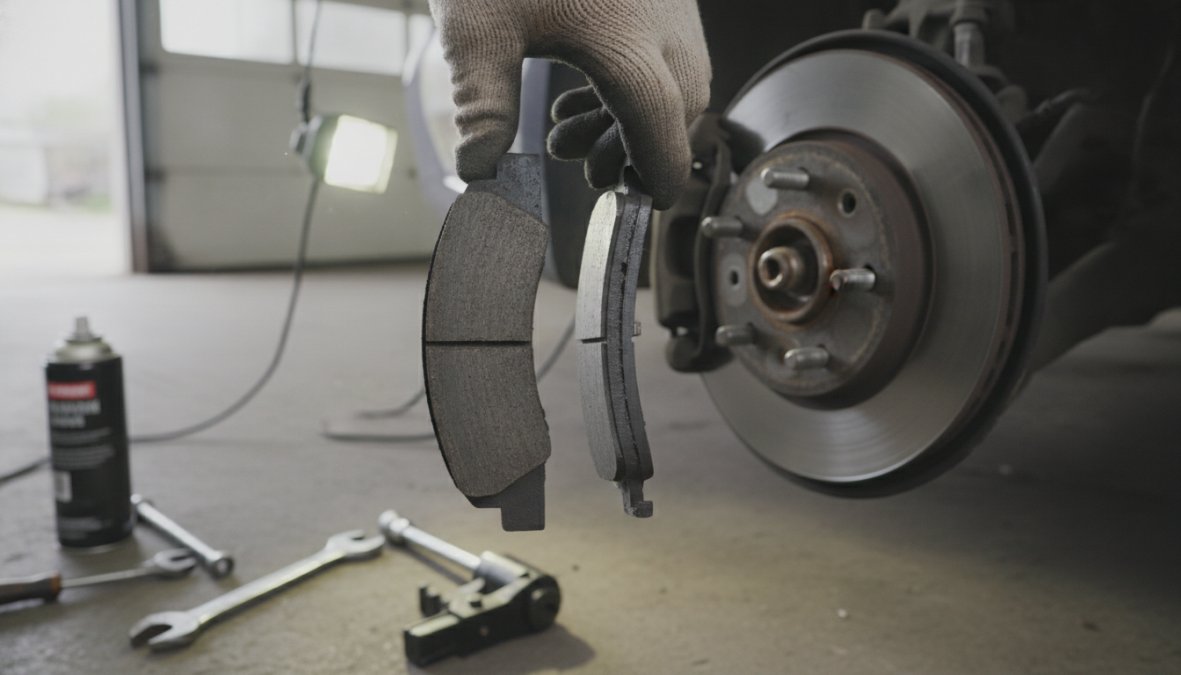
Brake pads are the friction material that presses against your brake rotors to slow your vehicle. When that friction material wears down below a safe threshold, your stopping distance increases and rotor damage becomes likely. Most pads are designed with a built-in wear indicator that triggers an audible or visual alert.
The warning signs fall into three clear categories: sounds, physical sensations, and visual cues.
Squealing and Screeching Noises
A high-pitched squealing or screeching sound when you apply the brakes is the most common early indicator that your pads are wearing thin. Most brake pads include a small metal wear sensor that deliberately contacts the rotor once the friction material drops to critical thickness, producing that unmistakable squeal.
If the squealing happens only on damp mornings and then disappears, that's usually surface rust burning off the rotor, which is normal. If the screeching is consistent every time you brake, the wear sensor is almost certainly engaged and you need replacement pads.
Grinding and Growling Sounds
A grinding or growling sound means the brake pad friction material has worn away completely, and metal is now contacting metal directly between the caliper and the rotor. At this stage, you're actively damaging the brake rotors with every stop. Rotor damage significantly increases repair costs, what would have been a straightforward pad replacement now requires rotor resurfacing or replacement. If you hear grinding, stop driving and get the vehicle inspected immediately.
Clicking Noises When Braking
A clicking noise when braking indicates that brake pads are held in place by clips or pins within the caliper bracket that have worn or loosened. The pads can rattle and click as they shift under braking force. This symptom often appears before the pads themselves are critically worn, so catching it early is an advantage.
Watch OutNever assume a clicking or rattling brake noise is minor. Loose pad hardware can cause uneven pad wear and, in severe cases, a pad that shifts out of position entirely under hard braking.
Dashboard Warning Lights and Brake Indicators
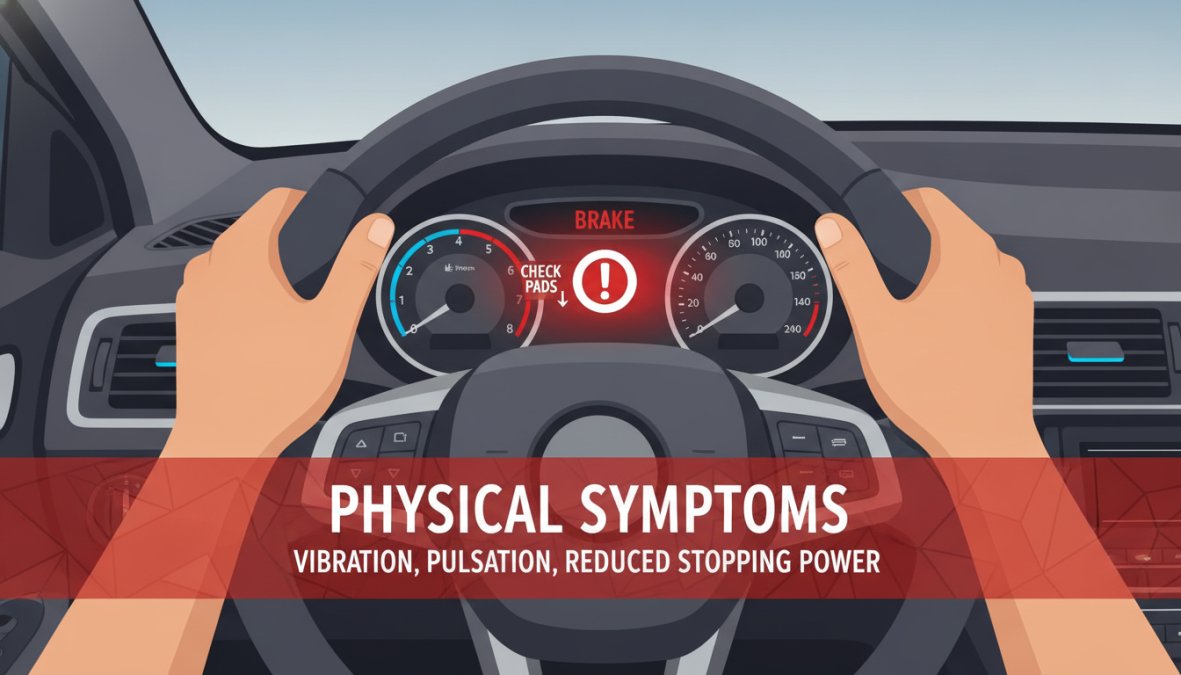
Many modern vehicles include a dedicated brake pad wear indicator light on the dashboard. This warning light is triggered by an electronic wear sensor embedded in the pad itself. When the pad wears to minimum safe thickness, the sensor circuit completes and illuminates the warning on your instrument cluster.
The brake warning light is not the same as the handbrake warning light. If your dashboard shows a symbol resembling an exclamation mark inside a circle with brackets, or explicitly reads "BRAKE," check whether the handbrake is fully released first. If it is and the light remains on, treat it as a pad wear alert.
According to the UK Government's MOT testing standards, brake performance is one of the primary failure points in annual MOT inspections. A worn pad that triggers a warning light will almost certainly result in an MOT failure if left unaddressed.
Key TakeawayNot all vehicles have electronic wear sensors. If your car is older or a budget model, you may receive no dashboard warning at all. In that case, regular visual inspection is your only early-warning system.
How to Check Brake Pad Thickness Yourself
Checking brake pad thickness yourself is straightforward on most vehicles and requires no specialist tools beyond a torch and, ideally, a set of callipers or a ruler.
Visual Inspection Without Removing Wheels
Look through the wheel spokes at the brake caliper. You'll see the pad sandwiched between the caliper and the rotor. The friction material is the layer pressed against the rotor face. If the visible pad thickness looks thin, less than the width of a pound coin, that's a clear sign the pads need attention.
Close-up of a mechanic's gloved hand using a metal calliper to measure brake pad thickness through the wheel spokes of a car, workshop lighting illuminating the brake assembly clearly
On some vehicles, you'll need to remove the wheel entirely to get a clear view. If you're not comfortable doing this, any garage offering a safety inspection can check it in minutes.
Measuring Pad Thickness: The 3/32 Inch Rule
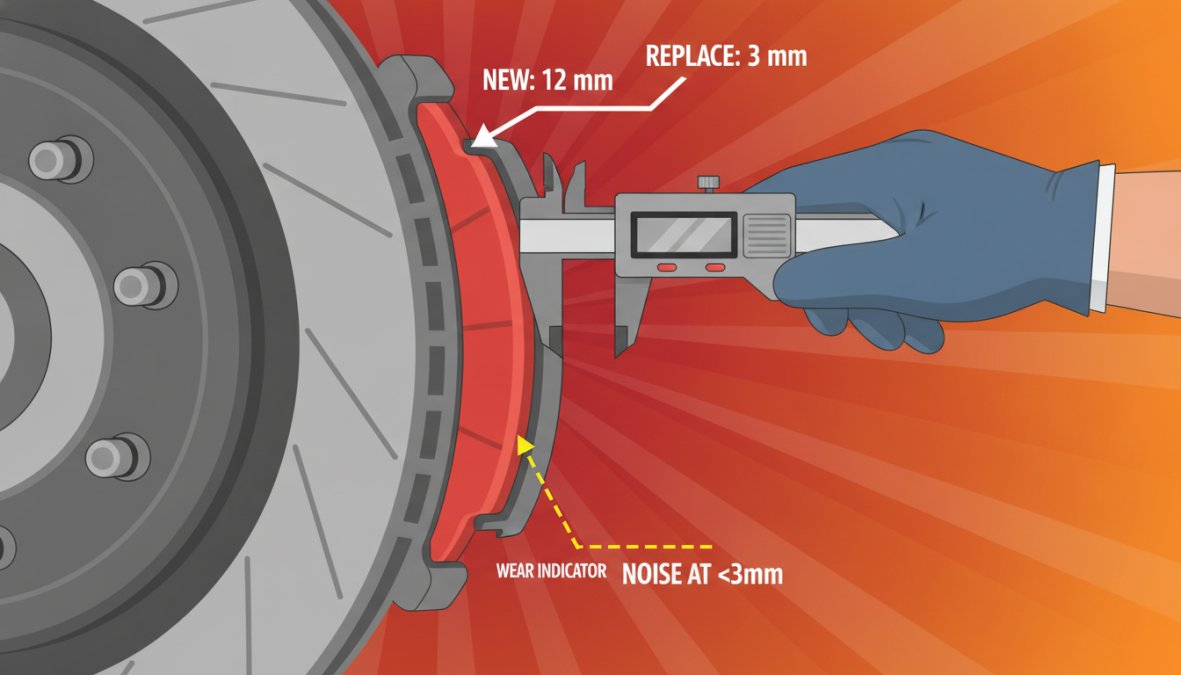
The general industry guideline is that brake pads should be replaced when the friction material drops to around 3mm (approximately 3/32 inch). New pads typically start at 10-12mm of friction material. At 3mm, stopping performance is already compromised, and rotor contact is imminent.
A more conservative approach is to replace pads at 4mm rather than waiting for the absolute minimum. The cost difference is negligible; the safety margin is not.
Physical Symptoms: Vibration, Pulsation, and Reduced Stopping Power
Physical sensations through the brake pedal or steering wheel are among the most reliable indicators that something is wrong with the brake system.
Driver's hands gripping a steering wheel inside a car, with the dashboard visible in soft focus showing an illuminated brake warning light on the instrument cluster, interior ambient lighting
Brake Pedal Vibration and Pulsation
A vibrating or pulsating brake pedal usually points to warped brake rotors rather than worn pads alone, though the two problems frequently occur together. When pads wear unevenly, they deposit friction material inconsistently across the rotor surface, creating thickness variation that translates into pulsation through the pedal. This indicates that braking force is being applied inconsistently with each wheel rotation, making your stopping distance less predictable.
Longer Stopping Distance and Brake Fade
Brake fade is the gradual reduction in braking effectiveness under sustained or repeated use. Worn pads fade far more quickly than new ones because there's less friction material to absorb and dissipate heat. If you notice your car taking noticeably longer to stop from the same speeds you're used to, that's a direct sign the brake system needs inspection. This symptom is particularly dangerous because it develops gradually, and drivers unconsciously compensate by braking earlier.
How Long Do Brake Pads Last and When to Replace Them
Brake pad lifespan varies considerably depending on material type, driving style, and environment. There's no single mileage figure that applies universally, which is why regular visual inspection matters more than following a fixed replacement interval.
Typical Brake Pad Lifespan by Material Type
Pad Type
Typical Lifespan
Best For
Key Characteristic
Organic (NAO)
25,000-40,000 miles
Light urban use
Quieter, softer on rotors
Semi-metallic
30,000-70,000 miles
Mixed driving
Better heat dissipation
Ceramic
40,000-70,000+ miles
Motorway/performance
Low dust, consistent feel
Organic pads are the softest option and wear faster but are quiet and gentle on rotors. Semi-metallic pads contain metal fibres for improved heat management and offer a solid all-round choice. Ceramic pads offer the longest service life and most consistent pedal feel, though they cost more initially.
Environmental and Driving Habit Factors
Two drivers covering identical mileage can have dramatically different pad wear rates depending on how and where they drive. Factors that accelerate pad wear include frequent stop-start urban driving, carrying heavy loads, driving in hilly terrain, aggressive braking habits, and wet and salted road conditions. Drivers who primarily use dual carriageways and motorways will often find their pads last considerably longer.
Pro TipIf you drive a hybrid or electric vehicle, regenerative braking significantly reduces wear on the physical brake pads. Specialist expertise is available for assessing pad condition on EVs and hybrids.
Squeaking Brakes When Stopping: Causes and Severity
Squeaking brakes sit in a diagnostic grey area. Not all squeaking indicates a worn pad, but all squeaking deserves investigation.
The most common causes of squeaking brakes include:
Wear sensor contact - The pad has reached minimum thickness and the sensor is engaged. Replace immediately.
Glazed pads or rotors - Overheated pads develop a hardened glaze that vibrates against the rotor surface.
Dust or debris - Fine grit trapped between pad and rotor causes temporary squeaking.
Morning moisture - Surface rust on rotors after overnight parking causes a brief squeal that disappears quickly. This is normal.
Pad backing plate contact - Anti-squeal shims that have worn or been incorrectly fitted can cause persistent squeaking.
The key diagnostic question is consistency. Occasional squeaking that clears quickly is usually benign. Consistent squeaking on every brake application, especially if accompanied by pulling to one side or vibration, needs a professional inspection.
Brake Pad Replacement Cost and DIY vs. Professional Repair
Understanding the cost context helps you make an informed decision about whether to tackle this job yourself or take it to a trusted garage.
Professional Repair at a Trusted Local Garage
Professional brake pad replacement at a reputable garage typically covers the cost of parts and labour, with the reassurance that the job has been carried out correctly and the braking system has been tested. The value of professional replacement isn't just the fitting itself. It's the diagnostic eye that comes with it, a good mechanic will spot whether your rotors need resurfacing, whether your calipers are seizing, and whether your brake fluid is due for a change.
DIY Replacement: Skills and Tools Required
DIY brake pad replacement is achievable for a confident home mechanic with the right tools and a methodical approach. The basic process involves safely lifting and supporting the vehicle, removing the wheel, compressing the caliper piston, removing old pads and fitting new ones with fresh anti-squeal compound, and bedding in the new pads with progressive stops.
The risks of DIY replacement are real. Incorrectly compressed pistons, missing anti-squeal shims, or failing to check rotor thickness can all create new problems. If you're in any doubt, the cost saving isn't worth the safety risk.
Common Mistakes When Assessing Brake Pad Wear
Mistake 1: Checking only one wheel. Pad wear is often uneven across an axle. Always check both sides.
Mistake 2: Judging by mileage alone. Driving style and conditions matter far more than odometer readings.
Mistake 3: Ignoring noise because the car "still stops fine." Brake fade is gradual, and by the time stopping distance feels noticeably longer, the pads are already critically worn.
Mistake 4: Replacing pads without inspecting rotors. New pads on worn or scored rotors will wear unevenly and may not provide full braking performance.
Mistake 5: Assuming no warning light means no problem. Not all vehicles have electronic wear sensors. On older cars, the absence of a dashboard warning tells you nothing about pad condition.
The most reliable approach is a combination of regular visual inspection every 6,000 miles, attention to any unusual noises or pedal feel, and a professional check whenever you have a service or MOT.
Worn brake pads are a safety issue that tends to creep up gradually, making them easy to defer until symptoms become impossible to ignore. Book your brake inspection today and get your braking system assessed by a trusted team.
Frequently Asked Questions
What are the main signs that your brake pads need replacing?
The most common signs include squealing or screeching noises when braking, a grinding sound indicating severe wear, a dashboard warning light, reduced stopping power, longer stopping distance, vibration in the brake pedal, and uneven pad wear. If you notice any of these, have your brake system inspected promptly to ensure safety.
How do I check my brake pad thickness without removing the wheel?
Many vehicles allow visual inspection through the wheel spokes. Look for the friction material on the pad, if it appears thinner than 1/4 inch (approximately 6mm), replacement is due soon. The minimum safe thickness is typically 3/32 inch (2.4mm). If you cannot see clearly, a professional mechanic can measure accurately using proper tools.
How long do brake pads typically last before replacement?
Brake pad lifespan varies based on driving habits, vehicle type, and pad material. Metallic pads generally last 25,000-70,000 miles, whilst organic pads may wear faster. Frequent city driving, towing, or aggressive braking reduces lifespan significantly. Regular maintenance checks help identify wear early and prevent rotor damage.
Is it safe to drive with worn brake pads?
No. Worn brake pads reduce stopping power, increase stopping distance, and risk damage to rotors and calipers, leading to more expensive repairs. Severely worn pads compromise your safety and that of others on the road. If you suspect wear, have a professional safety inspection completed before driving further.
Your booking Failed
Please try again or please call 01536 410142
Thank you for placing a booking with Kettering Motorist Centre Limited for vehicle
PLEASE TAKE YOUR BOOKING REFERENCE NUMBER WITH YOU TO THE MOT CENTRE
Your items
MOT Test
×
Terms and Conditions
These terms and conditions form the basis on which you can visit and use this website. Please read them carefully as they contain important information.
General terms and conditions
This website is owned and operated by Kettering Motorist Centre Ltd (company registration number: 4485858) operating at Trafalgar Road, Kettering, Northamptonshire, NN16 8DB (the "MOT Centre", the "Company", "we" or "us"). If you have any queries about these terms and conditions or if you have any comments or complaints on or about this website, you can contact us at [email protected] or 01536 410142.
The website is to promote and offer for sale the products and services of Kettering Motorist Centre Limited.
1. The contract between us
This website does not take payment for products or services online. The website enables you to view products and services online and to make a booking for later delivery and payment. The vehicle and provision of other products and services promoted by this website and the payment by you of the price of those products and services will take place at the MOT Centre. The booking does not constitute a contract.
The booking process on the site provides details of the booked MOT order. Please take the time to read and check your booking. It is your responsibility to make sure the order is correct and for the correct vehicle.
2. Ownership of rights
All rights, including copyright, in this website are owned by or licensed to the Company. Any use of this website or its contents, including copying or storing it or them in whole or part, other than for your own personal, non commercial use, is prohibited without our permission. You may not modify, distribute or repost anything on this website for any purpose.
3. Accuracy of content
We have taken care in the preparation of the content of this website, in particular to ensure that prices quoted are correct at the time of publishing and that all goods have been fairly described. However, bookings will only be accepted if there are no material errors in the description of the goods or their prices as advertised on this website. Any weights, dimensions and capacities given about the goods are approximate only.
4. Damage to your computer
We try to ensure that this website is free from viruses or defects. However, we cannot guarantee that your use of this website or any websites accessible through it will not cause damage to your computer. It is your responsibility to ensure that the right equipment is available to use the website. Except in the case of negligence on our part, we will not be liable to any person for any loss or damage which may arise to computer equipment as a result of using this website.
5. Availability
All bookings are subject to acceptance and availability. If the MOT date you have requested are is not available, the Centre will contact you by e-mail or phone. You will have the option either to wait until another slot is available or to cancel your booking.
6. Booking errors
You are able to correct errors on your booking up to the point on which you click on “Place Booking” during the booking process.
7. Price
The prices payable for goods that you order are as set out in our website. All prices are inclusive of VAT at the current rates and are correct at the time of entering information, errors and omissions excepted.
Whenever it is not possible to accept your booking to buy goods of the specification and description at the price indicated, the MOT Centre will advise you by email or phone or when you visit the centre.
8. Payment terms
You will be required to pay for the goods or services to the Centre at time of a completed MOT.
9. Delivery charges
N/A
10. Cancellation
The MOT Centre reserves the right to cancel the booking if:
10.1 There is insufficient stock to deliver the goods you have booked.
10.2 One or more of the goods you booked was listed at an incorrect price.
If your booking is cancelled the Centre will notify you by e-mail or phone.
You have the right to cancel your booking at any time up to the point of the MOT. If you do cancel your booking you should inform the centre by phone.
11. Liability
Notwithstanding the foregoing, nothing in these terms and conditions is intended to limit any rights you might have as a consumer under applicable local law or other statutory rights that may not be excluded nor in any way to exclude or limit our liability to you for any death or personal injury resulting from our negligence.
12. Notices
Unless otherwise expressly stated in these terms and conditions, all notices from you to us must be in writing and sent to our contact address given above and all notices from us to you will be displayed on our website from time to time.
13. Changes to legal notices
We reserve the right to change these terms and conditions from time to time and you should look through them as often as possible.
14. Law, jurisdiction and language
This website, any content contained therein and any contract brought into being as a result of usage of this website are governed by and construed in accordance with English law. Parties to any such contract agree to submit to the exclusive jurisdiction of the courts of England and Wales.
15. Invalidity
If any part of these terms and conditions is unenforceable (including any provision in which we exclude our liability to you) the enforceability of any other part of these conditions will not be affected.
16. Privacy
You acknowledge and agree to be bound by the terms of our privacy policy
17. Third party rights
Nothing in this Agreement is intended to, nor shall it confer any rights on a third party.