How to Check MOT Status Online: A Step-by-Step Guide
Last Updated: July 3, 2026
Learning how to check MOT status online is one of the simplest ways to stay on top of your vehicle's legal requirements. At Kettering Motorist Centre, we help thousands of motorists in Northamptonshire verify their MOT details quickly and securely through the official DVLA system. Whether you're buying a used car, preparing for an upcoming test, or simply checking your vehicle's roadworthiness record, the process takes just a few minutes and requires only your vehicle registration number and MOT certificate details.
What You'll Need to Check Your MOT Status
Before you begin, gather these essentials. You'll need your vehicle registration number (the unique identifier on your number plate), details from your MOT certificate (the test number and expiry date), and internet access on any device.
Pro TipKeep your vehicle registration number and MOT certificate details in your phone's notes app. This makes future checks instant and prevents frustration when you need them quickly.
How to Check MOT Status Online: Step-by-Step
Step 1: Access the Official DVLA Vehicle Enquiry Service
Visit the official DVLA vehicle enquiry service website directly. This is the only legitimate government tool for checking MOT records. The official DVLA service is free to use, requires no account, and works smoothly on desktop computers, tablets, and mobile phones.
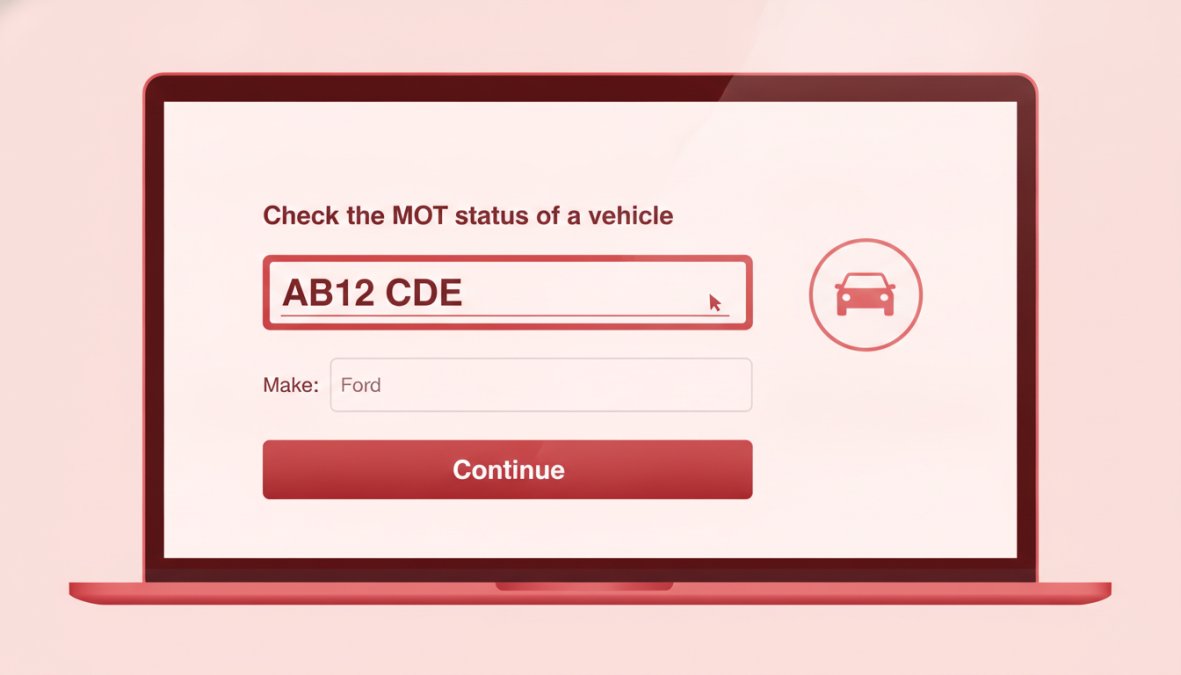
Close-up of a laptop screen displaying the DVLA vehicle enquiry service homepage with a registration number entry field clearly visible
Step 2: Enter Your Vehicle Registration Number
Type your vehicle registration number into the first field exactly as it appears on your number plate, including spaces. For example, if your plate reads "AB26 CDE," enter it with the space in the middle. The system accepts both uppercase and lowercase letters.
Step 3: Provide Your MOT Certificate Details
The system will ask for two pieces of information from your most recent MOT certificate: the test number (a unique 8-10 character reference) and the expiry date (the deadline by which you must renew your test). Enter both carefully, as incorrect information will cause the system to reject your request.
Step 4: Review Your Vehicle's MOT Status
The system will display your vehicle's current MOT status within seconds, showing whether your MOT is valid and when it expires. If your MOT is within 30 days of expiry, it's time to book your next appointment.
Key TakeawayYour MOT status is instantly updated after each test. Allow up to 24 hours for the system to reflect new information.
Understanding Your MOT History Check Results
The results page shows your vehicle status, test centre details, recorded mileage, and your complete MOT history for the past several years. This record is valuable when buying or selling a used car, as it demonstrates the vehicle's maintenance pattern.
What MOT Pass and Failure Records Show
Pass records indicate your vehicle met the required standard for roadworthiness. Failure records show your vehicle did not meet the required standard. Major failures mean the vehicle is not safe to drive, while minor failures indicate issues that should be addressed promptly.
If your vehicle failed its MOT, you have 10 working days to correct the faults and retest without paying the full MOT fee again.
Interpreting Advisory Notices
Advisory notices highlight potential issues that aren't yet serious enough to cause failure but should be monitored or addressed soon. Common advisories include worn brake pads, slight play in steering components, or minor corrosion.
Watch OutIgnoring advisory notices can lead to MOT failures at your next test. Addressing them early is cheaper than dealing with major failures later.
How to Check Vehicle Tax and MOT Together
Your vehicle tax status and MOT status are separate but complementary legal requirements. The DVLA vehicle enquiry service displays MOT information, but vehicle tax status requires a separate check on the DVLA's vehicle tax checker tool. Both tools are free and accessible from the same DVLA website.
Your vehicle excise duty must be valid whenever your MOT is valid. Checking both together ensures complete compliance with road regulations.
Is My Car MOT Due? Finding Your Expiry Date
Your MOT expiry date appears prominently on your MOT certificate and in the online results page. It's typically one year from the date of your most recent successful test.
Driving with an expired MOT is illegal and can result in fines up to £1,000, three penalty points on your driving licence, and potential vehicle impoundment. If your MOT is approaching expiry, book your next test at least two weeks in advance.
MOT Status
What It Means
Action Required
Valid
Your vehicle is covered by current MOT
None, continue driving legally
Expires within 30 days
Your MOT is approaching expiry
Book your next test soon
Expired
Your vehicle is not legally roadworthy
Do not drive, book urgent test
Failed
Your vehicle did not pass its last test
Repair faults and retest within 10 days
Common Mistakes to Avoid When Checking MOT Status
The most common mistake is entering your vehicle registration number incorrectly. Spaces, numbers that look like letters (0 vs O, 1 vs I), and transposed characters all cause rejection. Double-check your number plate carefully before submitting.
Another frequent error is using an incorrect or outdated MOT certificate number. If you're checking a recently purchased vehicle, ensure you're using the seller's most recent certificate details.
Many drivers also confuse their MOT expiry date with their vehicle tax expiry date or insurance renewal date. Set calendar reminders for each one.
Registration Not Found: What to Do
If the system returns a "registration not found" message, verify that you've entered your registration number exactly as it appears on your number plate. Check your V5C registration document if uncertain. New vehicles take up to four weeks to appear in the system after first registration.
MOT Exemption Criteria You Should Know
Vehicles over 40 years old are exempt from MOT requirements if they haven't been substantially modified. Some specialist vehicles, including certain agricultural vehicles and mobility aids, are also exempt. However, exempt vehicles must still meet basic safety and emissions standards if driven on public roads.
Checking MOT for Imported or International Vehicles
Imported vehicles must pass an MOT within one month of registration with the DVLA. The DVLA vehicle enquiry service works for imported vehicles once they're registered in the UK, but you cannot check MOT status for vehicles registered abroad through the UK system.
Pro TipIf importing a vehicle to the UK, plan your MOT test for shortly after registration. Many test centres offer priority appointments for newly imported vehicles.
Setting Up MOT Reminders for Your Vehicle
Set calendar reminders on your phone for one month before your MOT expiry date. This gives you time to book an appointment without rushing. Some third-party services track your vehicle details and notify you as your test approaches. Your garage may also offer reminder services at no extra cost.
For vehicles you use regularly, check your MOT status every month on the same date to ensure you never miss an expiry.
What to Do If Your MOT Has Expired
Stop driving the vehicle on public roads immediately. Arrange for your car to be transported to a test centre or driven directly to a garage for urgent testing. Contact your local test centre and explain your situation; many prioritize expired MOT cases.
When you arrive for your test, your vehicle will be assessed against current safety and emissions standards. If it passes, you'll receive a new MOT certificate valid for one year. If it fails, you have 10 working days to repair the faults and retest at a reduced fee.
Watch OutDriving with an expired MOT can result in fines up to £1,000 and three penalty points on your driving licence. If you're involved in an accident, your insurance may refuse to pay out if your MOT was expired.
Keeping your vehicle's MOT current is one of the simplest yet most important responsibilities of vehicle ownership. Checking your MOT status online takes minutes and provides complete clarity about your vehicle's legal standing. At Kettering Motorist Centre, we make staying compliant even easier with our hassle-free online booking system for MOT appointments, no upfront payment required, just transparent, convenient scheduling.
Key Takeaways
Task
Time Required
Frequency
Check MOT status online
2-3 minutes
Monthly or before driving unfamiliar routes
Book MOT appointment
5-10 minutes
Once per year, ideally 2-4 weeks before expiry
Review MOT history
3-5 minutes
When buying a used car or troubleshooting issues
Set up reminder system
5 minutes
Once, then automatic
According to UK government MOT requirements guidance, all cars over three years old must pass an annual MOT test to remain legal on public roads. Research from the RAC's vehicle maintenance survey 2026 shows that drivers who check their MOT status regularly catch potential safety issues earlier, resulting in fewer emergency repairs and lower overall maintenance costs.
For motorists in Kettering and Northamptonshire, staying on top of your MOT requirements has never been easier. The official DVLA vehicle enquiry service provides instant access to your complete MOT history, available 24/7. Combine regular status checks with professional maintenance, and you'll drive with confidence knowing your vehicle meets all legal standards.
Frequently Asked Questions
What information do I need to check my MOT status online?
To check MOT status using the DVLA vehicle enquiry service, you need your vehicle registration number (number plate) and the MOT certificate number. These two pieces of information allow the system to locate your vehicle's record and display your current MOT status, expiry date, and test history instantly.
Is the official MOT check website free?
Yes, the official DVLA vehicle enquiry service is completely free to use. There are no charges for checking your MOT status, viewing your MOT history, or downloading your MOT certificate. Always use the official government website to avoid third-party fees or unreliable services.
Can I check the MOT status of any car, and what about imported vehicles?
You can check the MOT status of any vehicle registered in the UK using its registration number. However, imported or international vehicles must be registered with DVLA before their MOT status can be checked online. If your imported vehicle is not yet registered, contact your local test centre or DVLA directly for guidance on the registration process.
What does 'Registration not found' mean when I check my MOT status?
If you see 'Registration not found', it typically means the registration number or MOT certificate details you entered are incorrect. Double-check both for typos, including spaces. If details are correct, your vehicle may not be registered with DVLA yet, or the record may not have updated. Contact your test centre or DVLA if the problem persists.
Your booking Failed
Please try again or please call 01536 410142
Thank you for placing a booking with Kettering Motorist Centre Limited for vehicle
PLEASE TAKE YOUR BOOKING REFERENCE NUMBER WITH YOU TO THE MOT CENTRE
Your items
MOT Test
×
Terms and Conditions
These terms and conditions form the basis on which you can visit and use this website. Please read them carefully as they contain important information.
General terms and conditions
This website is owned and operated by Kettering Motorist Centre Ltd (company registration number: 4485858) operating at Trafalgar Road, Kettering, Northamptonshire, NN16 8DB (the "MOT Centre", the "Company", "we" or "us"). If you have any queries about these terms and conditions or if you have any comments or complaints on or about this website, you can contact us at [email protected] or 01536 410142.
The website is to promote and offer for sale the products and services of Kettering Motorist Centre Limited.
1. The contract between us
This website does not take payment for products or services online. The website enables you to view products and services online and to make a booking for later delivery and payment. The vehicle and provision of other products and services promoted by this website and the payment by you of the price of those products and services will take place at the MOT Centre. The booking does not constitute a contract.
The booking process on the site provides details of the booked MOT order. Please take the time to read and check your booking. It is your responsibility to make sure the order is correct and for the correct vehicle.
2. Ownership of rights
All rights, including copyright, in this website are owned by or licensed to the Company. Any use of this website or its contents, including copying or storing it or them in whole or part, other than for your own personal, non commercial use, is prohibited without our permission. You may not modify, distribute or repost anything on this website for any purpose.
3. Accuracy of content
We have taken care in the preparation of the content of this website, in particular to ensure that prices quoted are correct at the time of publishing and that all goods have been fairly described. However, bookings will only be accepted if there are no material errors in the description of the goods or their prices as advertised on this website. Any weights, dimensions and capacities given about the goods are approximate only.
4. Damage to your computer
We try to ensure that this website is free from viruses or defects. However, we cannot guarantee that your use of this website or any websites accessible through it will not cause damage to your computer. It is your responsibility to ensure that the right equipment is available to use the website. Except in the case of negligence on our part, we will not be liable to any person for any loss or damage which may arise to computer equipment as a result of using this website.
5. Availability
All bookings are subject to acceptance and availability. If the MOT date you have requested are is not available, the Centre will contact you by e-mail or phone. You will have the option either to wait until another slot is available or to cancel your booking.
6. Booking errors
You are able to correct errors on your booking up to the point on which you click on “Place Booking” during the booking process.
7. Price
The prices payable for goods that you order are as set out in our website. All prices are inclusive of VAT at the current rates and are correct at the time of entering information, errors and omissions excepted.
Whenever it is not possible to accept your booking to buy goods of the specification and description at the price indicated, the MOT Centre will advise you by email or phone or when you visit the centre.
8. Payment terms
You will be required to pay for the goods or services to the Centre at time of a completed MOT.
9. Delivery charges
N/A
10. Cancellation
The MOT Centre reserves the right to cancel the booking if:
10.1 There is insufficient stock to deliver the goods you have booked.
10.2 One or more of the goods you booked was listed at an incorrect price.
If your booking is cancelled the Centre will notify you by e-mail or phone.
You have the right to cancel your booking at any time up to the point of the MOT. If you do cancel your booking you should inform the centre by phone.
11. Liability
Notwithstanding the foregoing, nothing in these terms and conditions is intended to limit any rights you might have as a consumer under applicable local law or other statutory rights that may not be excluded nor in any way to exclude or limit our liability to you for any death or personal injury resulting from our negligence.
12. Notices
Unless otherwise expressly stated in these terms and conditions, all notices from you to us must be in writing and sent to our contact address given above and all notices from us to you will be displayed on our website from time to time.
13. Changes to legal notices
We reserve the right to change these terms and conditions from time to time and you should look through them as often as possible.
14. Law, jurisdiction and language
This website, any content contained therein and any contract brought into being as a result of usage of this website are governed by and construed in accordance with English law. Parties to any such contract agree to submit to the exclusive jurisdiction of the courts of England and Wales.
15. Invalidity
If any part of these terms and conditions is unenforceable (including any provision in which we exclude our liability to you) the enforceability of any other part of these conditions will not be affected.
16. Privacy
You acknowledge and agree to be bound by the terms of our privacy policy
17. Third party rights
Nothing in this Agreement is intended to, nor shall it confer any rights on a third party.