Understanding Dashboard Warning Light Colours and Meanings
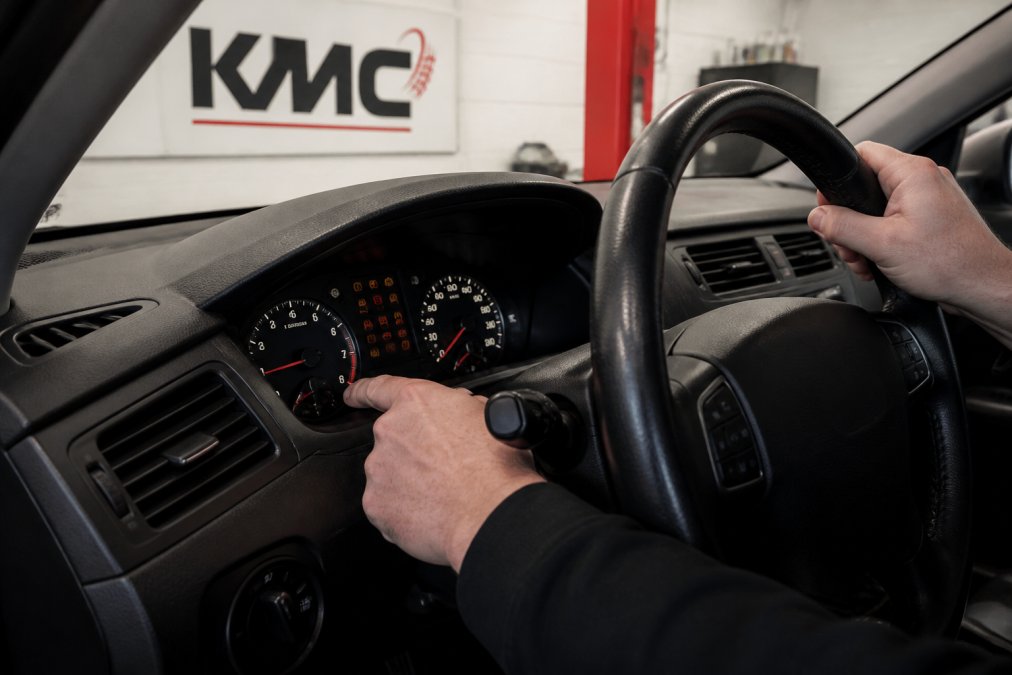
Dashboard warning lights communicate critical information about your vehicle's health. Learning how to reset dashboard warning lights step by step starts with understanding what each colour means and when action is required. At Kettering Motorist Centre, we help motorists across Northamptonshire recognise these signals before attempting any reset procedure. Ignoring the wrong light can mask serious mechanical failure, while resetting the right one at the right time saves unnecessary garage visits.
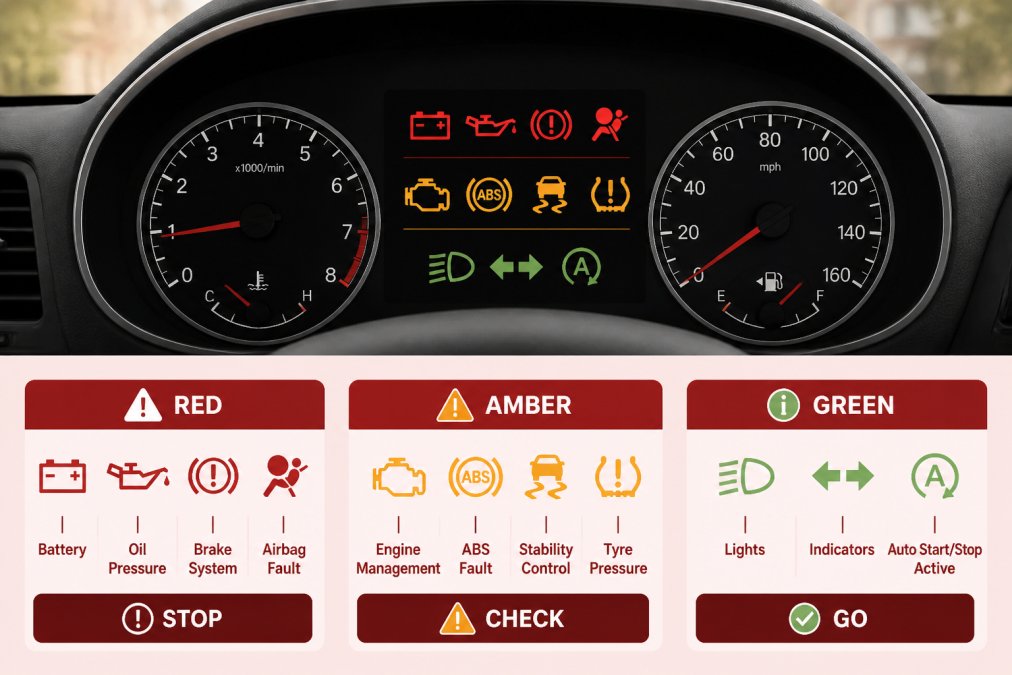
Professional illustration showing reset dashboard warning lights
Red warning lights: Stop immediately
Red warning lights demand immediate attention and indicate safety-critical faults affecting your engine, brakes, or electrical system. Common red lights include oil pressure warnings, brake system warnings, and engine overheating indicators. Never attempt to reset a red warning light yourself. Pull over safely, turn off the engine, and contact Kettering Motorist Centre for professional diagnostic assessment. The underlying fault must be repaired before the light will extinguish permanently.
Amber warning lights: Get checked soon
Amber or orange warning lights indicate a fault requiring attention but not necessarily immediately. These typically relate to emissions systems, transmission performance, or sensor malfunctions. Your vehicle remains safe to drive, but you should schedule a service within days or weeks. Some amber lights can be reset using the methods covered below, whilst others require professional diagnosis first.
Green and blue lights: Information only
Green and blue dashboard lights provide information rather than warnings, such as cruise control or high beam indicators. They signal that a feature is active, not that something is wrong. You never need to reset these lights; they extinguish automatically when the relevant function is deactivated.
What to Do When a Dashboard Warning Light Appears
Your immediate response to a warning light determines whether you can safely reset it yourself or need professional help.
Check your vehicle manual first
Your vehicle's handbook is the most reliable source of information about dashboard warning lights. It contains manufacturer-specific details about what each light means and whether the fault is safe to ignore temporarily. Different manufacturers use slightly different symbols and thresholds for triggering warnings, so generic online advice may not apply to your exact model.
Note any symptoms or performance changes
Before attempting any reset procedure, observe how your vehicle is performing. Is it running smoothly or is there hesitation? Are you hearing unusual noises? Does the steering feel heavy or the brakes feel soft? Write down any symptoms you notice. This information helps a technician narrow down the cause if you need professional assistance.
How to Reset Dashboard Warning Lights Step by Step
Several methods exist for resetting dashboard warning lights, each suited to different fault types. Not every light can be reset using every method, and attempting the wrong approach may leave the light illuminated or mask a serious fault.
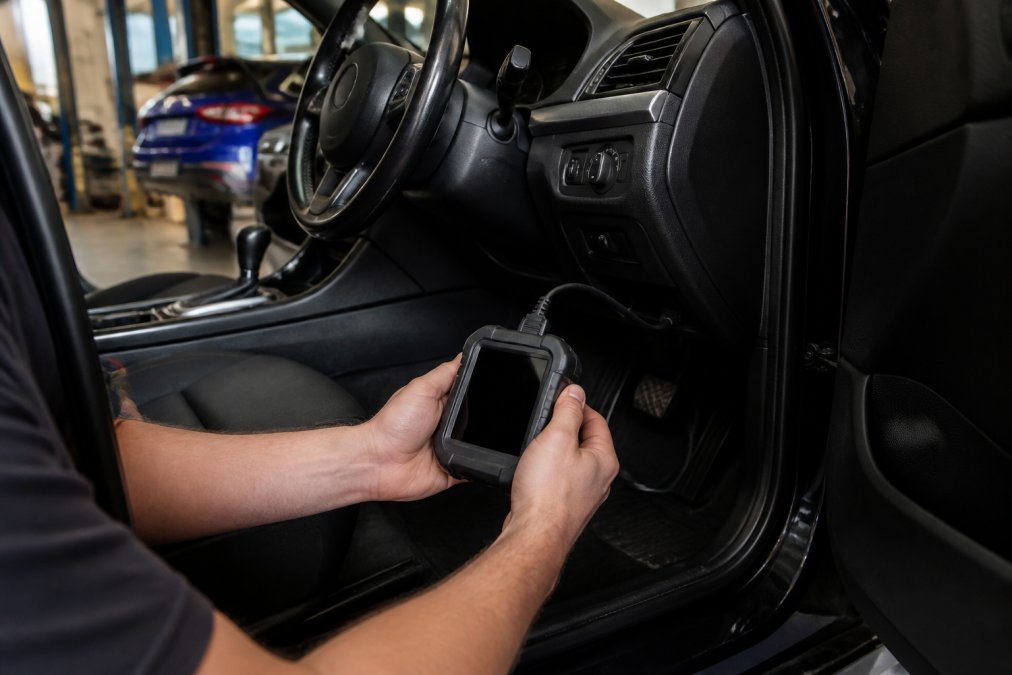
Step-by-step visual guide for Hands, OBD for reset dashboard warning lights
Method 1: The ignition cycle method
The ignition cycle method is the simplest reset approach and works for some amber warning lights. This technique involves turning the ignition on and off in a specific sequence to clear minor fault codes from the vehicle's onboard diagnostic system.
Here's how to perform an ignition cycle reset:
Sit in the driver's seat with the doors closed
Insert the key into the ignition (or press the start button if your vehicle has keyless entry)
Turn the ignition to the "On" position without starting the engine
Wait three seconds
Turn the ignition back to "Off"
Repeat this on-off sequence three more times, completing four full cycles total
On the fifth cycle, turn the ignition to "On" and leave it there for ten seconds
Turn the ignition off and wait for the dashboard to go dark
This process resets the vehicle's computer memory without fully draining the battery. Some vehicles respond immediately; others require the engine to be started and driven normally for 50-100 miles before the system confirms the fault has been resolved. The ignition cycle method works best for temporary faults triggered by loose fuel caps or sensor glitches. If the light returns within a few days, the underlying issue remains unresolved and requires professional attention.
Method 2: Disconnecting the vehicle battery
Disconnecting the battery is a more aggressive reset method that clears all fault codes from the vehicle's electronic control unit. This approach should only be used when you're confident the underlying fault has been resolved.
Safety is paramount when working with vehicle batteries. Ensure the engine is completely cold, wear protective gloves, remove any metal jewellery, and work in a well-ventilated area away from sparks or open flames.
To disconnect the battery:
Locate the battery, typically under the bonnet
Identify the negative terminal, marked with a minus sign or black cable
Using an appropriate wrench, loosen the nut on the negative terminal
Carefully lift the negative cable away from the terminal and secure it so it cannot touch metal
Leave the battery disconnected for 15-30 minutes to allow the vehicle's electrical systems to fully discharge
Reconnect the negative cable and tighten the terminal nut firmly
Start the engine to confirm the battery reconnection was successful
After reconnecting the battery, the warning light may take several driving cycles to reappear if the fault persists. Drive normally for 50-100 miles, allowing the onboard diagnostic system to re-evaluate all sensors. If the light returns, the fault has not been resolved and professional diagnosis is necessary.
Warning: Disconnecting the battery also clears other vehicle settings, including radio presets and clock adjustments. Some modern vehicles may require recalibration after battery disconnection.
Method 3: Using an OBD-II scanner for car diagnostics
An OBD-II scanner for car diagnostics is the most reliable method for resetting dashboard warning lights because it identifies the specific fault code before clearing it. This approach prevents you from masking serious problems and ensures you're only resetting lights that correspond to resolved issues.
The onboard diagnostic system stores fault codes as alphanumeric sequences (such as P0171 or P0300). These codes indicate exactly which system triggered the warning.
To use an OBD-II scanner:
Locate your vehicle's diagnostic port, typically under the steering wheel on the left side of the dashboard
Insert the scanner's connector into the diagnostic port
Power on the scanner and navigate to "Read Codes" or "Scan"
The scanner displays all stored fault codes
Note the codes and research what they mean using the scanner's built-in database or your vehicle manual
Once you've confirmed the underlying fault has been resolved, navigate to "Clear Codes" or "Erase Codes"
The scanner removes all stored codes and resets the warning lights
Turn off the scanner and remove it from the diagnostic port
Start the engine to confirm the lights have been cleared
Basic OBD-II scanners are available for purchase at automotive retailers. Alternatively, many independent garages offer diagnostic scanning services. At Kettering Motorist Centre, our team uses professional-grade diagnostic equipment to identify fault codes accurately and advise whether a reset is appropriate or if mechanical repair is necessary.
Safety Precautions Before Attempting a Reset
Attempting to reset warning lights without proper precautions risks personal injury or vehicle damage.
Ensure the engine is off and cool
Never work on your vehicle's electrical systems while the engine is running. Before beginning any reset procedure, turn off the engine and wait at least 30 minutes for it to cool. Engine coolant reaches extremely high temperatures and can cause severe burns. Check that the bonnet is fully supported before reaching into the engine bay.
Wear protective gloves when handling battery terminals
Battery terminals contain lead and sulphuric acid, both of which are hazardous. Protective gloves prevent skin contact with corrosion products that accumulate on terminals. Wear nitrile or latex gloves rated for chemical resistance. Remove jewellery before working with the battery, as metal rings or watches can create electrical short circuits if they contact both terminals simultaneously. If battery acid contacts your skin, wash immediately with copious amounts of clean water for at least 15 minutes and seek medical attention if burning sensation persists.
Reset Method
Difficulty
Best For
Time Required
Risk Level
Ignition cycle
Very easy
Minor sensor faults
5 minutes
Very low
Battery disconnect
Easy
Temporary faults
20-30 minutes
Low
OBD-II scanner
Moderate
Confirmed resolved faults
10-15 minutes
Very low
The Risks of Clearing Codes Without Fixing the Underlying Issue
Resetting a warning light without addressing the underlying mechanical fault creates a false sense of security. The fault continues to develop, often worsening significantly before the warning light reappears. Some faults worsen rapidly. An oxygen sensor malfunction affects fuel mixture, causing poor fuel economy and increased emissions. More seriously, some warning lights indicate safety-critical faults. Brake system warnings, steering system warnings, and airbag warnings must never be cleared without professional diagnosis and repair.
The correct approach is to identify the fault code, understand what it means, confirm the underlying issue has been resolved, and only then reset the light. If you're unsure whether a fault has been properly addressed, consult a qualified mechanic before clearing codes.
When to Take Your Car to a Garage for Professional Help
Knowing when to seek professional help prevents costly mistakes and ensures your vehicle's safety and reliability.
Red warning lights require immediate attention
Red warning lights are non-negotiable. Never attempt to reset a red light yourself. Oil pressure warnings suggest the engine is not receiving adequate lubrication; continuing to drive risks catastrophic engine damage. Brake system warnings indicate problems with your braking capability. Overheating warnings suggest your engine is running too hot and could seize. Airbag warnings mean your safety systems may not function in a collision. Contact Kettering Motorist Centre immediately or call roadside assistance if you're unable to drive safely.
Persistent warning lights after a reset
If a warning light reappears within a few days of resetting it, the underlying fault has not been resolved. Attempting further resets is pointless; you're simply clearing the symptom without addressing the cause. Professional diagnosis is necessary. Some faults are intermittent, caused by loose connections that trigger warnings occasionally. Professional diagnostic equipment can often identify the fault code even if the fault is currently inactive, allowing the mechanic to locate and repair the underlying issue.
Electric vehicle dashboard warnings
Electric vehicles present unique diagnostic challenges that differ significantly from petrol or diesel vehicles. Battery management systems, electric motor controllers, and regenerative braking systems all generate their own warning codes. At Kettering Motorist Centre, our team has specialist expertise in electric and hybrid vehicle diagnostics. For electric vehicle owners in Kettering and surrounding areas, we recommend visiting a garage with EV-specific training rather than attempting DIY resets.
For detailed information about electric vehicle servicing and diagnostics, visit KMC Electric, our specialist sister site dedicated to electric and hybrid vehicle care. Electric vehicle warning lights often relate to battery health, charging systems, or motor performance, areas where professional equipment and training are essential.
Common Mistakes to Avoid When Resetting Warning Lights
Learning from others' mistakes prevents frustration and costly errors.
Mistake 1: Resetting without identifying the fault code. Always identify the fault code before resetting. Even a simple OBD-II scanner reading takes five minutes and provides crucial information.
Mistake 2: Assuming all warning lights can be reset the same way.A service reminder light can often be reset through the vehicle menu or ignition cycle. A check engine light requires either an OBD-II scanner or professional diagnosis.
Mistake 3: Disconnecting the battery without understanding the consequences. Battery disconnection clears all codes simultaneously, which is useful for confirming a fault has been resolved but problematic if you're unsure which fault triggered the light.
Mistake 4: Ignoring warning lights that reappear quickly. If a light returns within a few days, the fault persists. Continuing to reset it repeatedly without addressing the underlying issue is futile and potentially dangerous.
Mistake 5: Driving extended distances with red warning lights illuminated. Red lights indicate critical faults. Stop driving immediately and seek professional help.
Mistake 6: Assuming all amber lights are minor issues. An amber check engine light might indicate a failing catalytic converter or transmission malfunction, both expensive if ignored long-term. Professional diagnosis is worthwhile even for amber lights that persist.
Conclusion
Understanding how to reset dashboard warning lights step by step helps you respond appropriately when warning lights appear. However, the ability to reset a light is different from the ability to diagnose and repair the underlying fault. The safest approach combines self-help capability with professional support. Use the methods covered here for minor, temporary faults you've confirmed are resolved. For persistent warnings, red lights, or any situation where you're uncertain, consult a qualified mechanic. At Kettering Motorist Centre, our team provides expert diagnostic services using professional-grade OBD-II equipment and extensive knowledge of vehicle systems. We help motorists across Kettering and Northamptonshire understand what their warning lights mean and whether professional repair is necessary.
Frequently Asked Questions
Is it safe to drive with a dashboard warning light on?
Red warning lights indicate a serious issue and you should stop driving immediately and seek professional help. Amber warning lights suggest a fault that needs attention soon, but you can usually drive cautiously to a garage. Green and blue lights are informational only. However, ignoring any persistent warning light risks further damage to your vehicle's engine management system and may affect your MOT result. If you're unsure, contact a qualified technician at Kettering Motorist Centre for diagnostic advice.
Can I reset dashboard warning lights without an OBD-II scanner for car diagnostics?
Yes, you can try the ignition cycle method or battery disconnection method without a scanner. However, these methods only clear the light temporarily if the underlying fault remains. An OBD-II scanner reads the diagnostic trouble codes stored in your vehicle's electronic control unit, allowing you to understand what caused the light. Without identifying the root cause, the warning will return. For accurate diagnostics and permanent solutions, professional equipment is recommended.
What should I do when a warning light appears on my dashboard?
First, check your vehicle manual to understand what the light means. Note any changes in how your car performs, such as unusual noises, vibration, or reduced power. If it's a red light, stop safely and call for assistance. For amber lights, plan to visit a garage soon. Avoid attempting to reset the light before identifying the problem, as this masks a potentially serious issue. Kettering Motorist Centre offers expert diagnostic services to identify the fault quickly and safely.
When should I take my car to a garage instead of resetting the warning light myself?
Take your car to a garage immediately if the light is red, if you notice performance issues, or if the warning returns after a reset. Electric vehicles require specialist knowledge for some warning lights. If you're uncomfortable with diagnostic procedures, or if the fault code indicates a serious engine management system problem, professional help is essential. Kettering Motorist Centre specialises in all vehicle types, including hybrid and electric vehicles, and can diagnose and repair warning light issues safely.
Your booking Failed
Please try again or please call 01536 410142
Thank you for placing a booking with Kettering Motorist Centre Limited for vehicle
PLEASE TAKE YOUR BOOKING REFERENCE NUMBER WITH YOU TO THE MOT CENTRE
Your items
MOT Test
×
Terms and Conditions
These terms and conditions form the basis on which you can visit and use this website. Please read them carefully as they contain important information.
General terms and conditions
This website is owned and operated by Kettering Motorist Centre Ltd (company registration number: 4485858) operating at Trafalgar Road, Kettering, Northamptonshire, NN16 8DB (the "MOT Centre", the "Company", "we" or "us"). If you have any queries about these terms and conditions or if you have any comments or complaints on or about this website, you can contact us at [email protected] or 01536 410142.
The website is to promote and offer for sale the products and services of Kettering Motorist Centre Limited.
1. The contract between us
This website does not take payment for products or services online. The website enables you to view products and services online and to make a booking for later delivery and payment. The vehicle and provision of other products and services promoted by this website and the payment by you of the price of those products and services will take place at the MOT Centre. The booking does not constitute a contract.
The booking process on the site provides details of the booked MOT order. Please take the time to read and check your booking. It is your responsibility to make sure the order is correct and for the correct vehicle.
2. Ownership of rights
All rights, including copyright, in this website are owned by or licensed to the Company. Any use of this website or its contents, including copying or storing it or them in whole or part, other than for your own personal, non commercial use, is prohibited without our permission. You may not modify, distribute or repost anything on this website for any purpose.
3. Accuracy of content
We have taken care in the preparation of the content of this website, in particular to ensure that prices quoted are correct at the time of publishing and that all goods have been fairly described. However, bookings will only be accepted if there are no material errors in the description of the goods or their prices as advertised on this website. Any weights, dimensions and capacities given about the goods are approximate only.
4. Damage to your computer
We try to ensure that this website is free from viruses or defects. However, we cannot guarantee that your use of this website or any websites accessible through it will not cause damage to your computer. It is your responsibility to ensure that the right equipment is available to use the website. Except in the case of negligence on our part, we will not be liable to any person for any loss or damage which may arise to computer equipment as a result of using this website.
5. Availability
All bookings are subject to acceptance and availability. If the MOT date you have requested are is not available, the Centre will contact you by e-mail or phone. You will have the option either to wait until another slot is available or to cancel your booking.
6. Booking errors
You are able to correct errors on your booking up to the point on which you click on “Place Booking” during the booking process.
7. Price
The prices payable for goods that you order are as set out in our website. All prices are inclusive of VAT at the current rates and are correct at the time of entering information, errors and omissions excepted.
Whenever it is not possible to accept your booking to buy goods of the specification and description at the price indicated, the MOT Centre will advise you by email or phone or when you visit the centre.
8. Payment terms
You will be required to pay for the goods or services to the Centre at time of a completed MOT.
9. Delivery charges
N/A
10. Cancellation
The MOT Centre reserves the right to cancel the booking if:
10.1 There is insufficient stock to deliver the goods you have booked.
10.2 One or more of the goods you booked was listed at an incorrect price.
If your booking is cancelled the Centre will notify you by e-mail or phone.
You have the right to cancel your booking at any time up to the point of the MOT. If you do cancel your booking you should inform the centre by phone.
11. Liability
Notwithstanding the foregoing, nothing in these terms and conditions is intended to limit any rights you might have as a consumer under applicable local law or other statutory rights that may not be excluded nor in any way to exclude or limit our liability to you for any death or personal injury resulting from our negligence.
12. Notices
Unless otherwise expressly stated in these terms and conditions, all notices from you to us must be in writing and sent to our contact address given above and all notices from us to you will be displayed on our website from time to time.
13. Changes to legal notices
We reserve the right to change these terms and conditions from time to time and you should look through them as often as possible.
14. Law, jurisdiction and language
This website, any content contained therein and any contract brought into being as a result of usage of this website are governed by and construed in accordance with English law. Parties to any such contract agree to submit to the exclusive jurisdiction of the courts of England and Wales.
15. Invalidity
If any part of these terms and conditions is unenforceable (including any provision in which we exclude our liability to you) the enforceability of any other part of these conditions will not be affected.
16. Privacy
You acknowledge and agree to be bound by the terms of our privacy policy
17. Third party rights
Nothing in this Agreement is intended to, nor shall it confer any rights on a third party.